
Two-Factor Authentication: The Safest Apps and Methods
Passwords alone aren’t enough anymore. Data breaches happen constantly, and even strong passwords end up compromised. Two-factor authentication (2FA) adds a crucial second layer of protection. But with multiple methods available, which one should you use?
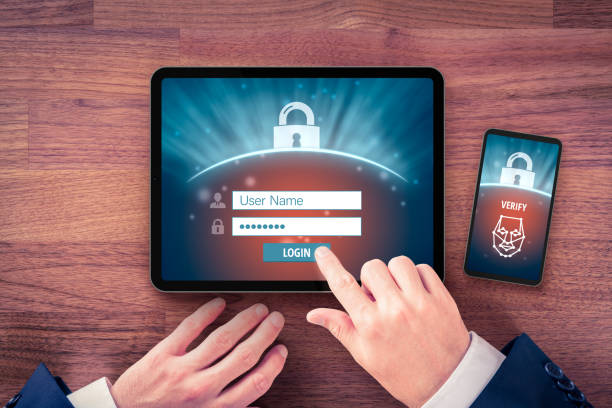
What is two-factor authentication?
Two-factor authentication requires two different types of proof to verify your identity. Something you know (like a password) plus something you have (like a phone) or something you are (like a fingerprint).
Even if attackers steal your password, they can’t access your account without the second factor. This simple addition blocks the vast majority of account takeover attempts.
The concept isn’t new — ATM cards have always required both the card (something you have) and a PIN (something you know). Digital 2FA applies the same principle to online accounts.
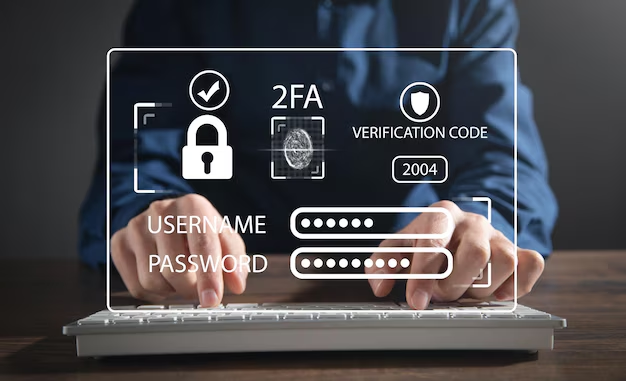
Methods ranked by security
SMS codes — convenient but vulnerable
Text message codes are the most common 2FA method. When you log in, you receive a code via SMS that you enter to complete authentication.
The problem? SMS is surprisingly insecure. SIM swapping attacks let criminals take over your phone number. SS7 vulnerabilities can intercept text messages. And if your phone is compromised, so are your codes.
Use SMS 2FA if it’s your only option — it’s still much better than password alone. But if better methods are available, choose them instead.
Email codes — similar concerns
Some services send codes to your email instead of SMS. This has similar vulnerabilities. If your email is compromised (and many are), your 2FA codes are too.
Email codes also create a chicken-and-egg problem. Protecting your email with email-based 2FA doesn’t make much sense.
Authenticator apps — the sweet spot
Authenticator apps generate codes locally on your device. No network transmission means no interception risk. Even if someone has your password and phone number, they can’t get codes without physical access to your device.
Codes change every 30 seconds and are cryptographically generated. Each account has its own secret seed that the app uses to generate codes.
This is where most users should land — secure enough for almost any purpose while remaining convenient enough for daily use.
Hardware security keys — maximum security
Physical security keys like YubiKey provide the strongest 2FA available. You insert the key or tap it to authenticate. Phishing is essentially impossible since the key cryptographically verifies the actual website.
Keys are phishing-resistant because they communicate directly with the site, not through you. Even if you’re on a fake login page, the key won’t authenticate because it validates the real site.
The downside is carrying a physical object. Losing it can be problematic, though backup keys solve this. For high-value accounts or those targeted by sophisticated attackers, hardware keys are worth the trade-off.
Biometric factors — convenient but secondary
Fingerprint and face recognition add convenience to 2FA. Instead of typing a code, you just touch or look. Many authenticator apps support biometric unlock.
Biometrics work best as a local convenience feature rather than a primary authentication factor. They verify you to your device; then the device vouches for you to the service.

Best authenticator apps
Authy
Authy offers the best balance of security and usability. Encrypted cloud backup means you won’t lose everything if you lose your phone. Multi-device sync keeps codes available across phone, tablet, and desktop.
The backup feature is controversial in security circles — it creates a cloud copy that could theoretically be compromised. But for most users, the benefit of not losing access outweighs this theoretical risk.
Google Authenticator
Google Authenticator is simple and reliable. No account required, no sync — codes exist only on your device. This simplicity is both strength and weakness.
Recent updates added backup capabilities, addressing the main historical complaint. It remains a solid choice, especially for Android users.
Microsoft Authenticator
If you use Microsoft services, their authenticator offers seamless integration. Push notifications let you approve logins with one tap instead of typing codes.
For non-Microsoft accounts, it works as well as any other authenticator. The interface is clean and modern.
1Password and Bitwarden
Many password managers now include authenticator functionality. Having passwords and 2FA codes in one app is convenient — perhaps too convenient for the security-conscious.
Combining both factors in one app does slightly weaken the “something you have” separation. But the convenience increase means more people actually use 2FA, which may be a net security gain.
How to implement 2FA effectively
Start with your most important accounts: email, banking, social media. If your email is compromised, attackers can reset passwords everywhere else.
Use an authenticator app as your default. Only fall back to SMS when no better option exists.
Keep backup codes safe. Most services provide one-time backup codes for situations where you can’t access your normal 2FA. Store these securely — they’re essentially extra passwords.
Consider a hardware key for high-value targets. If you’re a journalist, activist, executive, or anyone targeted by sophisticated attackers, the extra protection is worthwhile.
Enable 2FA on your password manager. This creates a security chain: 2FA protects your password manager, which protects all your other passwords.
Don’t stop at 2FA
Two-factor authentication dramatically improves security but isn’t foolproof. Real-time phishing attacks can intercept both passwords and 2FA codes. Malware on your device can capture credentials before they’re transmitted.
Think of 2FA as one layer in your security stack. Combine it with strong unique passwords, updated software, and healthy skepticism about unexpected requests.
That said, enabling 2FA on your accounts is one of the single most effective things you can do for your security. If you haven’t yet, start today.